
7 Easy Ways to Stream on Different Screens
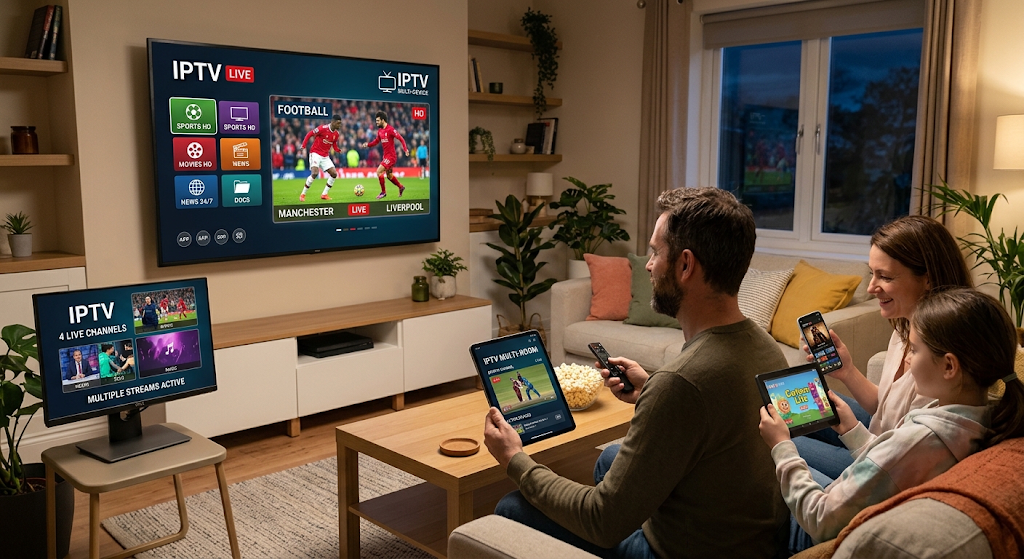
Introduction to IPTV on Multiple Devices
Modern entertainment has changed the way people watch television. In the past, families usually depended on a single television connected to cable or satellite services. Today, internet-based streaming has made it possible to enjoy entertainment on Smart TVs, smartphones, tablets, laptops, and streaming devices.
One of the biggest advantages of Internet Protocol Television (IPTV) is its flexibility. With a compatible service and suitable subscription plan, users can access television content on different devices without depending on traditional broadcasting equipment.
IPTV on multiple devices is becoming increasingly popular among households that want convenient entertainment options. Some family members may prefer watching movies on a Smart TV, while others enjoy television programs on their smartphones or tablets. Having access across different devices makes entertainment more flexible and convenient.
However, setting up IPTV on multiple screens requires understanding device compatibility, subscription limitations, internet speed, and account settings. Not every IPTV provider allows simultaneous streaming on several devices, so checking the service conditions is important.
In this guide, we will explain how IPTV works across multiple devices, which equipment you can use, how to configure your service, and how to solve common streaming problems.
Table of Contents
What Is IPTV on Multiple Devices?
IPTV stands for Internet Protocol Television. It is a technology that delivers television content through internet networks rather than traditional cable or satellite broadcasting.
IPTV on multiple devices means accessing a compatible IPTV service through different supported devices using an authorized subscription.
For example, a household might use:
- A Smart TV in the living room.
- An Android smartphone in the bedroom.
- A tablet while travelling.
- A laptop for watching programs while working.
- A compatible streaming box on another television.
The number of devices you can use depends on your IPTV provider’s subscription conditions.
How Does Multi-Device IPTV Work?
Multi-device IPTV works through internet connectivity and compatible streaming applications.
The process generally involves the following steps:
- A licensed provider makes television content available through its platform.
- The user subscribes to an appropriate service.
- Compatible devices connect to the internet.
- An IPTV application receives the authorized account or playlist information.
- The service verifies access and provides the available content.
- The user watches programs on supported devices.
Some providers allow users to register several devices but restrict how many can stream simultaneously.
Registered Devices vs Simultaneous Connections
These two terms are important when choosing an IPTV subscription.
Registered devices refer to the number of devices that can be associated with an account.
Simultaneous connections refer to the number of devices that can watch content at the same time.
For example, a service might allow registration on three devices but permit only one active stream at a time.
Always check these details before purchasing a subscription.
7 Best Devices for Using IPTV
One of the main benefits of IPTV is its compatibility with different types of technology. However, the exact applications and features available depend on the operating system and provider.
1. Smart TVs
Smart TVs are among the most convenient devices for IPTV streaming.
They usually include built-in internet connectivity and application stores, allowing users to install compatible streaming applications directly.
How to Use IPTV on a Smart TV
- Connect your television to Wi-Fi or Ethernet.
- Open the official application store.
- Search for a compatible IPTV player.
- Install and open the application.
- Enter your authorized service details.
- Select available content and start streaming.
Smart TVs are particularly useful for people who prefer watching entertainment on a larger screen.
2. Android Smartphones
Android smartphones allow users to enjoy IPTV content wherever an internet connection is available.
They are useful for watching television while travelling, relaxing, or spending time away from the main television.
Setting Up IPTV on Android
Open the Google Play Store and search for a reputable IPTV player. Install an application that supports your provider’s service.
After installation, follow the application’s instructions to connect your authorized subscription.
Make sure you use a stable Wi-Fi or mobile data connection for smooth playback.
3. iPhones and iPads
Apple devices can also support compatible IPTV applications.
An iPhone is convenient for personal viewing, while an iPad offers a larger display for movies, television programs, and other entertainment.
Installation Steps
- Open the Apple App Store.
- Search for a compatible IPTV application.
- Review the application details.
- Install the selected application.
- Add your authorized service information.
- Test video playback.
Always choose applications that are compatible with your iOS or iPadOS version.
4. Amazon Fire TV Devices
Amazon Fire TV devices provide an easy way to add streaming functionality to compatible televisions.
Some models support 4K video playback and a variety of streaming applications.
How to Configure IPTV on Fire TV
Open the Amazon Appstore and find a compatible IPTV player.
Download the application, launch it, and follow the instructions provided by your authorized IPTV service.
Check your device’s supported resolution and application compatibility before installation.
5. Android TV and Google TV
Android TV and Google TV devices provide access to compatible entertainment applications.
They are useful for people who want to stream television content without purchasing a completely new Smart TV.
Basic Setup Process
- Connect the device to your television.
- Connect it to your internet network.
- Open Google Play.
- Install a compatible IPTV application.
- Enter your authorized service details.
- Test the available content.
6. Windows Computers and Laptops
Windows computers provide another option for accessing compatible IPTV services.
They can be useful when users prefer watching television on a desktop or laptop screen.
How to Watch IPTV on a Computer
Choose an application or browser-based platform officially supported by your IPTV provider.
Install the application if required, connect your authorized account, and select an available program.
Make sure your computer has updated software and a stable internet connection.
7. Mac Computers
Mac users can also enjoy compatible IPTV streaming services.
Depending on the provider, users may access content through a supported application or web platform.
Check the application’s compatibility with your macOS version before installing it.
Benefits of IPTV on Multiple Devices
Using IPTV on multiple devices provides several advantages for modern households.
1. Flexible Entertainment
Different family members can use their preferred devices.
One person may watch a movie on a Smart TV while another uses a smartphone for a different program, provided the subscription allows simultaneous streaming.
2. Convenient Viewing Anywhere
Portable devices make it possible to access compatible services outside the home.
Users can watch available content while travelling or staying in another location, subject to the provider’s access restrictions.
3. Better Family Entertainment
A multi-device subscription can make entertainment more convenient for households with different viewing preferences.
Family members do not always need to depend on one television.
4. Multiple Screen Options
Users can choose between large and small screens according to their needs.
Smart TVs are suitable for shared viewing, while tablets and smartphones are convenient for personal entertainment.
5. More Convenient Daily Entertainment
IPTV applications can make it easier to access available content without repeatedly changing television connections.
How Many Devices Can Use IPTV at the Same Time?
The number of devices supported by an IPTV subscription depends on the provider.
Some services allow only one simultaneous connection, while others offer plans with additional connections.
Before purchasing, consider the following:
- Maximum registered devices.
- Number of simultaneous streams.
- Supported operating systems.
- Device replacement policies.
- Household usage requirements.
- Subscription renewal conditions.
Understanding Connection Limits
A service may allow several devices to be registered but prevent them from streaming at the same time.
For example, a family may register a Smart TV, smartphone, and tablet. However, if the plan supports only one connection, only one device can stream at a time.
Why Do Providers Set Connection Limits?
Connection limits help providers manage account access, service capacity, and subscription conditions.
Always select a plan that matches your actual viewing requirements.
Internet Speed Requirements for Multiple IPTV Devices
Internet speed is one of the most important factors when streaming across multiple screens.
Each active stream uses bandwidth. When several devices play videos simultaneously, the total bandwidth requirement increases.
Recommended Internet Speeds
The following figures are general estimates for individual streams.
| Streaming Quality | Suggested Speed Per Device |
|---|---|
| SD | 3–5 Mbps |
| HD | 5–10 Mbps |
| Full HD | 10–15 Mbps |
| 4K UHD | 25 Mbps or higher |
For example, two simultaneous 4K streams may require around 50 Mbps or more, depending on compression and platform requirements.
Other household activities also consume bandwidth, so having additional capacity is recommended.
Tips for Better Internet Performance
Use a Reliable Router
A modern router can help manage multiple connected devices.
Prefer Ethernet Connections
Wired connections can provide greater stability for televisions and streaming boxes.
Choose Suitable Broadband
Select an internet package that provides enough bandwidth for your household.
Avoid Network Congestion
Large downloads and multiple video streams can reduce available bandwidth.
How to Set Up IPTV on Multiple Devices
Setting up IPTV across different devices is straightforward when you follow the provider’s instructions.
Step 1: Choose a Compatible IPTV Service
Start by selecting a legitimate provider that supports your preferred devices.
Check the subscription’s registered-device and simultaneous-connection limits.
Step 2: Check Device Compatibility
Make sure your television, smartphone, tablet, or computer supports the required IPTV application.
Step 3: Install the Application
Download the compatible application through the official app store or provider-approved source.
Step 4: Add Your Authorized Login Details
Follow the application instructions to connect your subscription.
Some applications support playlist imports, while others use provider-specific login methods.
Step 5: Repeat the Process on Other Devices
Install the compatible application on your other supported devices.
Use your authorized account information according to the provider’s multi-device policy.
Step 6: Test Simultaneous Streaming
If your subscription allows multiple connections, test playback on the permitted number of devices.
Check that each device plays content smoothly.
Common IPTV Multi-Device Problems and Solutions
Although IPTV offers flexibility, users may occasionally experience technical difficulties.
1. Too Many Connections Error
This error may appear when the account exceeds its permitted simultaneous connections.
Solutions
- Stop streaming on unused devices.
- Check the subscription connection limit.
- Review active sessions if the provider offers this feature.
- Contact customer support if the error continues.
2. Buffering on Multiple Devices
Buffering may occur when several devices use the same internet connection.
Solutions
- Upgrade your broadband package if necessary.
- Use Ethernet for fixed devices.
- Restart your router.
- Reduce video quality where supported.
- Pause unnecessary downloads.
3. Login Problems
Incorrect credentials or subscription restrictions can prevent access.
Solutions
- Check your login information.
- Confirm that the subscription is active.
- Review the provider’s device registration policy.
- Contact official customer support.
4. Application Compatibility Problems
Some applications may not support every television or operating system.
Solutions
- Check device compatibility.
- Install official updates.
- Use a supported IPTV player.
- Reinstall the application if necessary.
Is IPTV on Multiple Devices Safe and Legal?
IPTV is a technology used to deliver television content over internet networks. Using IPTV is not automatically illegal. The legality depends on whether the provider has permission to distribute the content.
Choose Licensed IPTV Providers
Use services that have appropriate broadcasting and distribution rights.
Protect Your Account Information
Avoid sharing passwords or subscription credentials with unknown individuals.
Use Official Applications
Download applications from trusted app stores or official provider websites.
Review Subscription Policies
Understand device restrictions, account-sharing conditions, and renewal terms before purchasing.
How to Choose the Best Multi-Device IPTV Subscription
Choosing the right subscription can improve your overall streaming experience.
Check Device Support
Make sure the provider supports your Smart TV, Android device, iPhone, tablet, or computer.
Compare Simultaneous Connections
Choose a subscription that offers enough simultaneous streams for your household.
Review Streaming Quality
Check whether the service provides SD, HD, Full HD, or 4K content.
Consider Customer Support
A reliable provider should offer a clear method of resolving technical problems.
Check Pricing and Renewal Terms
Compare subscription costs and understand any additional fees before making a decision.
Frequently Asked Questions About IPTV on Multiple Devices
1. Can I Use IPTV on Multiple Devices?
Yes. Many IPTV services support multiple devices, but the number of registered devices and simultaneous streams depends on the subscription.
2. Can I Watch IPTV on My TV and Phone at the Same Time?
Yes, if your provider allows at least two simultaneous connections and both devices are supported.
3. Does IPTV Work on Android and iPhone?
Yes. Compatible IPTV applications are available for both Android and Apple devices.
4. Does Every IPTV Subscription Support Multiple Connections?
No. Some subscriptions allow only one simultaneous stream. Always check the provider’s conditions.
5. How Much Internet Speed Do I Need for Multiple Devices?
It depends on the number of active streams and their video quality. Several HD or 4K streams require more bandwidth than a single stream.
6. Can I Use the Same IPTV Account on Different Devices?
Some providers allow this, subject to their registration and simultaneous-connection policies.
7. Why Does IPTV Stop Working When Another Device Connects?
Your subscription may have reached its simultaneous-connection limit. Check your plan or contact the provider.
Conclusion
IPTV on multiple devices offers a flexible way to enjoy internet-based television across Smart TVs, smartphones, tablets, laptops, and streaming devices. It allows households to choose different screens according to their entertainment preferences.
However, a successful multi-device setup requires more than installing an application. Users should understand subscription limits, device compatibility, internet speed, and account security.
By choosing a legitimate provider, using compatible applications, and maintaining a reliable internet connection, you can enjoy a convenient streaming experience across your supported devices.
Whether you prefer watching movies on a large television or catching up with your favourite programs on a smartphone, multi-device IPTV makes modern entertainment more accessible and flexible.