
Complete Guide to Enjoy Ultra HD Entertainment
Introduction to 4K IPTV Streaming
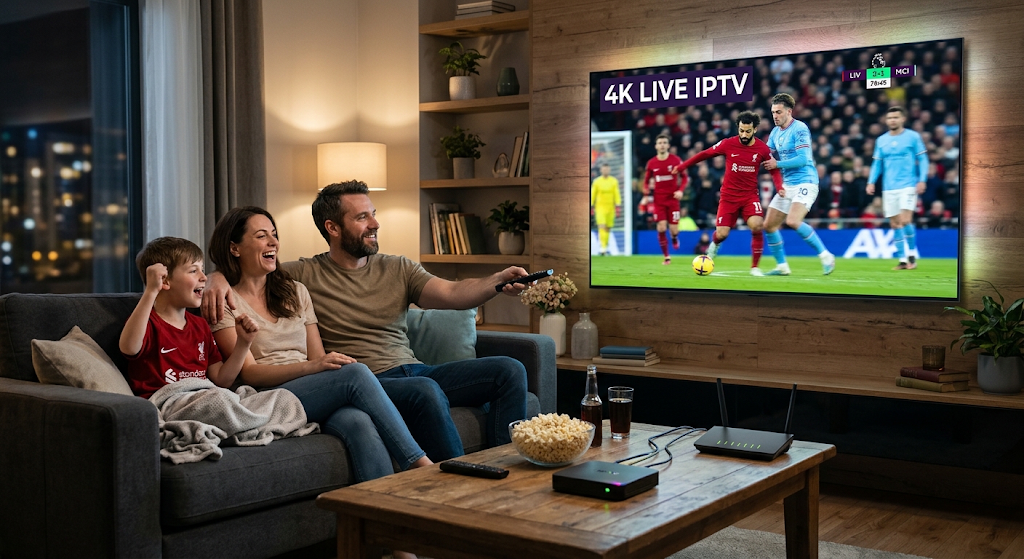
The way people watch television has changed significantly over the years. Traditional cable and satellite services are no longer the only ways to enjoy entertainment. With improvements in internet technology, online streaming has become a popular choice for viewers who want more flexibility and better picture quality. One of the most exciting developments in this area is 4K IPTV streaming.
4K IPTV streaming combines internet-based television delivery with Ultra High Definition (UHD) video quality. It allows viewers to watch compatible live television broadcasts and on-demand content through an internet connection. With four times the resolution of standard Full HD, 4K technology can provide sharper details, clearer images, and a more immersive viewing experience.
Whether you enjoy movies, documentaries, sports, or television series, understanding how 4K IPTV works can help you make better decisions about your home entertainment setup. This guide explains the technology, required equipment, internet speed, setup process, benefits, and common problems associated with 4K IPTV streaming.
Table of Contents
What Is 4K IPTV Streaming?
4K IPTV streaming refers to delivering television content over an internet connection in 4K resolution. IPTV stands for Internet Protocol Television, which means television programming is transmitted using internet-based networks rather than conventional cable or satellite broadcasting.
4K resolution typically contains 3840 × 2160 pixels. This provides approximately four times as many pixels as Full HD resolution, which is 1920 × 1080.
The increased pixel count can create a more detailed picture, particularly on larger television screens.
How Does 4K IPTV Work?
4K IPTV works through a combination of streaming technology, internet connectivity, compatible devices, and content delivery systems.
The general process involves several steps:
- A licensed content provider prepares and distributes television content.
- The content is encoded into a suitable digital video format.
- The streaming service delivers the video through an internet network.
- A compatible application or device receives the video stream.
- Your television displays the content in its supported resolution.
The final picture quality depends on the original video source, internet connection, device capabilities, and streaming service.
What Makes 4K Different from Full HD?
The main difference between 4K and Full HD is image resolution.
- Full HD: 1920 × 1080 pixels.
- 4K UHD: 3840 × 2160 pixels.
4K can display significantly more visual detail. This difference is particularly noticeable when watching high-quality content on large televisions.
However, having a 4K television does not automatically mean every program will appear in 4K. The content itself must also be available in Ultra HD quality.
Benefits of 4K IPTV Streaming
There are several reasons why viewers are becoming interested in 4K internet-based television.
1. Exceptional Picture Quality
One of the biggest advantages of 4K IPTV streaming is its impressive visual quality.
With more pixels on the screen, compatible content can show finer details, sharper textures, and clearer images.
This can make movies, nature documentaries, and other visually rich programs more enjoyable.
2. A More Immersive Viewing Experience
4K content can create a more realistic viewing experience, especially on large-screen televisions.
Viewers can enjoy detailed landscapes, close-up scenes, and visually rich entertainment from the comfort of their homes.
When combined with compatible HDR technology, the viewing experience may become even better through improved brightness, contrast, and colour.
3. Flexible Entertainment Options
IPTV services may provide access to different types of entertainment through a single application.
Depending on the licensed service, available options can include:
- Live television channels
- Movies and television series
- Sports broadcasts
- Documentary programs
- Educational content
- On-demand entertainment
This flexibility allows viewers to choose content according to their interests.
4. Compatibility with Modern Devices
Many modern entertainment devices support 4K video playback.
These include compatible Smart TVs, streaming boxes, Android TV devices, and selected computers.
However, users should always check the supported video resolution and application compatibility before choosing a device.
5. Convenient Internet-Based Access
IPTV delivers content through internet networks, making it convenient for households with reliable broadband connections.
Instead of relying entirely on traditional television infrastructure, viewers can use compatible applications and streaming devices to access authorized services.
What Do You Need for 4K IPTV Streaming?
Before setting up a 4K streaming service, it is important to make sure your equipment can support Ultra HD playback.
1. A 4K-Compatible Television
Your television should support a native 4K resolution of 3840 × 2160 pixels.
Many modern Smart TVs include built-in streaming applications, which can make installation easier.
Important TV Features
When selecting a television, consider:
- Native 4K UHD resolution
- HDR compatibility
- HDMI support
- Smart TV operating system
- Wi-Fi and Ethernet connectivity
- Application compatibility
2. A Reliable Internet Connection
Internet speed is an important factor in 4K IPTV streaming.
Because Ultra HD video contains more information than lower-resolution content, it generally requires greater bandwidth.
Recommended Internet Speeds
The following figures are general estimates for streaming one video stream:
| Video Quality | Suggested Internet Speed |
|---|---|
| SD | 3–5 Mbps |
| HD | 5–10 Mbps |
| Full HD | 10–15 Mbps |
| 4K UHD | 25 Mbps or higher |
Actual requirements depend on video compression, streaming platform recommendations, network congestion, and other connected devices.
For a smoother experience, choose a broadband connection that provides some additional bandwidth beyond the minimum requirement.
3. A Compatible Streaming Device
If your television does not support the required applications, you can use an external streaming device.
Popular device categories include:
- Android TV streaming boxes
- Google TV devices
- Amazon Fire TV devices that support 4K
- Compatible media players
- 4K-capable computers
Always check the device specifications to confirm that it supports 4K decoding and the required streaming application.
4. A Licensed 4K IPTV Service
You also need a legitimate streaming service that offers content in 4K resolution.
Before subscribing, check its content licensing, supported devices, streaming quality, subscription conditions, and customer support.
Not every IPTV provider offers genuine 4K content, so it is important to verify the advertised video quality.
How to Set Up 4K IPTV Streaming
Setting up a compatible IPTV service is usually straightforward. The exact process depends on your television, streaming device, and chosen application.
Step 1: Check Your Device Compatibility
First, confirm that your television or streaming device supports 4K resolution.
Check the manufacturer’s specifications and make sure the device supports the video formats required by your chosen service.
Step 2: Connect Your Device to the Internet
Connect your Smart TV or streaming device to your home internet connection.
For the best stability, consider using an Ethernet cable.
If you prefer Wi-Fi, place your router close to the television or streaming device.
Step 3: Install a Compatible IPTV Application
Open your device’s official application store.
Search for a reputable IPTV player that supports your provider’s service and your device’s operating system.
Review its compatibility, privacy information, and user feedback before installing.
Step 4: Add Your Authorized Service Details
Open the application and follow its instructions to connect your licensed IPTV subscription.
Depending on the application, the service may support an authorized playlist or another provider-approved login method.
Step 5: Check Your Video Quality Settings
Some applications allow users to select streaming quality.
If a 4K option is available, make sure your television, device, and subscription support it.
Keep in mind that the application cannot turn ordinary HD content into genuine native 4K content simply by changing a setting.
Step 6: Test Your Streaming Experience
Choose a program that is officially available in 4K.
Check the picture quality, playback stability, and audio performance.
If everything works properly, your setup is ready for Ultra HD entertainment.
Best Devices for 4K IPTV Streaming
Choosing the right device can make a noticeable difference in streaming performance.
4K Smart TVs
Smart TVs offer an integrated entertainment experience.
They allow users to install compatible applications directly without needing an additional streaming box.
Advantages of Smart TVs
- Simple installation
- Fewer external devices
- Built-in internet connectivity
- Support for multiple streaming platforms
Android TV and Google TV Devices
Android TV and Google TV devices provide access to compatible streaming applications through their official marketplaces.
They are useful for people who want to add smart streaming features to an existing television.
Amazon Fire TV Devices
Selected Amazon Fire TV models support 4K video playback.
They provide access to compatible applications and popular streaming platforms.
Before purchasing, check the specific model’s supported resolution and application availability.
Computers and Laptops
Some computers can also play 4K streaming content.
However, performance depends on the processor, graphics hardware, display, browser, and video decoding support.
Common Problems with 4K IPTV Streaming and Their Solutions
Even with compatible equipment, viewers may sometimes experience technical issues.
Understanding these problems can help you improve your streaming experience.
1. Buffering During 4K Playback
Buffering happens when the video player cannot receive data quickly enough to continue playback.
Possible Causes
- Insufficient internet speed
- Weak Wi-Fi signal
- Network congestion
- Router problems
- Streaming service interruptions
How to Fix It
- Restart your router.
- Use an Ethernet connection if possible.
- Move your device closer to the router.
- Pause large downloads on other devices.
- Check the streaming provider’s service status.
2. 4K Content Playing in HD
Sometimes viewers expect 4K quality but receive a lower-resolution picture.
Possible Causes
- The selected program is only available in HD.
- The subscription does not include 4K access.
- The device does not support the required resolution.
- The application is using automatic quality settings.
How to Fix It
Check the content’s official resolution, subscription features, and device specifications.
Also review the video output settings on your television or streaming device.
3. Application Crashing
An IPTV application may occasionally freeze or close unexpectedly.
Solutions
- Restart your device.
- Update the application.
- Clear its cache if supported.
- Check available device storage.
- Reinstall the application from its official source.
4. Poor Picture Quality
Low-quality images may result from network problems or an unsuitable video source.
Solutions
Check your internet speed, confirm the content’s original resolution, and make sure the television is configured correctly.
How to Improve 4K IPTV Streaming Performance
A few practical changes can help you achieve more consistent playback.
Use Ethernet Instead of Wi-Fi
A wired connection can reduce wireless interference and provide a more stable connection.
This is particularly useful when streaming high-bandwidth 4K content.
Choose a Modern Router
A reliable router with modern Wi-Fi technology can improve network performance.
Make sure your router can handle the number of connected devices in your home.
Keep Your Device Updated
Install official software and application updates regularly.
Updates can improve compatibility, security, and overall performance.
Avoid Network Congestion
Large downloads, online gaming, and multiple video streams can compete for available bandwidth.
If possible, schedule large downloads outside your usual viewing hours.
Check HDMI Compatibility
If you use an external streaming box, make sure your HDMI cable and television port support the required 4K video format and refresh rate.
Is 4K IPTV Streaming Legal and Safe?
IPTV is a legitimate technology for delivering television content through internet networks. However, the legality of a particular service depends on whether it has permission to distribute the content it offers.
Before choosing a service, consider the following points.
Choose Licensed Providers
Use providers that have the necessary broadcasting and distribution rights.
Review Subscription Details
Check the service’s terms, renewal conditions, payment information, and refund policies.
Download Applications from Official Sources
Avoid installing unknown applications from suspicious websites.
Official app stores and manufacturer websites are generally safer places to find compatible software.
Protect Your Personal Information
Use strong passwords and avoid sharing account credentials with unknown individuals.
How to Choose the Best 4K IPTV Service
Selecting the right provider is an important part of enjoying high-quality streaming.
Check Genuine 4K Availability
Look for clear information about which channels and programs are actually available in 4K.
Compare Subscription Plans
Review pricing, available features, supported devices, and renewal conditions before subscribing.
Evaluate Streaming Reliability
A reliable service should provide consistent playback and clear information about technical support.
Check Device Compatibility
Make sure the service works with your Smart TV, streaming box, or other preferred device.
Read Customer Reviews
Independent customer feedback can help you understand the service’s reliability and customer support.
Frequently Asked Questions About 4K IPTV Streaming
1. What Is 4K IPTV Streaming?
4K IPTV streaming is a method of delivering television content over the internet in Ultra HD resolution, generally 3840 × 2160 pixels.
2. What Internet Speed Do I Need for 4K IPTV?
A connection of around 25 Mbps or higher is a common starting recommendation for one 4K stream. Actual requirements vary by service and video compression.
3. Can I Watch 4K IPTV on a Normal HD TV?
An HD television cannot display native 4K resolution. It may downscale a 4K source to match its supported resolution.
4. Does Every IPTV Service Support 4K?
No. Some services provide only SD or HD content, while others offer selected programs in 4K.
5. Why Does My 4K IPTV Keep Buffering?
Buffering can happen because of slow internet, weak Wi-Fi, network congestion, device limitations, or service interruptions.
6. Is a 4K Streaming Box Necessary?
Not always. If your Smart TV already supports the required application and video formats, an additional streaming box may not be necessary.
7. Is 4K Better Than Full HD?
Yes, 4K provides a higher resolution and can display more visual detail than Full HD when the original content is available in genuine 4K.
Conclusion
4K IPTV streaming is an exciting development in modern home entertainment. By combining internet-based television delivery with Ultra HD resolution, it gives viewers the opportunity to enjoy compatible content with greater visual detail and flexibility.
Getting started does not have to be difficult. You simply need a compatible 4K television or streaming device, a reliable internet connection, a suitable application, and a legitimate IPTV service that offers Ultra HD content.
From choosing the right equipment to configuring your streaming application and solving common playback problems, understanding the basics can help you get more from your home entertainment system.
As streaming technology continues to develop, 4K IPTV streaming will remain an important option for viewers who value picture quality, convenience, and flexible digital entertainment.